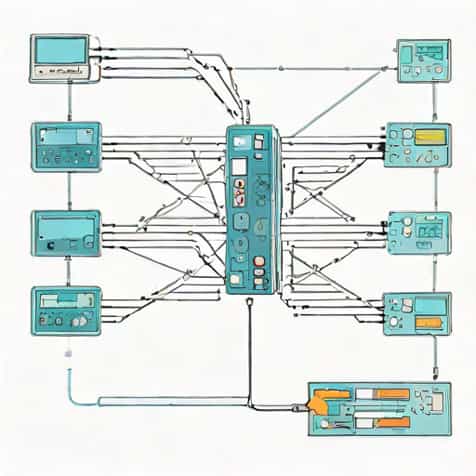
When learning about computer networking, one of the most popular tools that students and professionals come across is Cisco Packet Tracer. This program is widely used in classrooms, online courses, and even in personal learning environments to understand how networks function. It allows users to create, configure, and test virtual networks without needing expensive physical equipment. For anyone beginning their journey in networking, it provides a safe and cost-free environment to practice complex tasks. The tool is not only educational but also practical, as it mirrors real-world devices and scenarios, making it a bridge between theory and actual hardware implementation.
Understanding Cisco Packet Tracer
Cisco Packet Tracer is a network simulation software developed by Cisco Systems. It was designed primarily to support students who are enrolled in Cisco Networking Academy courses, but its usefulness extends beyond the classroom. The program lets users design and test network topologies, configure routers and switches, and experiment with different protocols. In many ways, it acts like a virtual laboratory for networking.
A Virtual Networking Environment
The main advantage of Cisco Packet Tracer is that it provides a virtual environment where users can build and explore computer networks. In real life, networking equipment like routers, switches, and servers can be costly. With this tool, learners can connect virtual devices together, configure them with commands, and see how data travels across the network. This reduces the need for physical hardware while still giving a realistic experience of networking tasks.
Key Features of Cisco Packet Tracer
Cisco Packet Tracer comes with several features that make it one of the most effective tools for network simulation
- Ability to simulate routers, switches, computers, servers, and other networking devices
- Support for a wide range of networking protocols such as TCP/IP, DHCP, DNS, and OSPF
- Drag-and-drop interface for easy network design
- Simulation mode to visualize how data packets travel through the network
- Multiuser functionality that allows collaboration with others in real-time
- Support for Internet of Things (IoT) devices for advanced learning scenarios
Why Cisco Packet Tracer is Important
Networking is a practical field where hands-on experience matters as much as theoretical knowledge. Cisco Packet Tracer fills this gap by giving learners a platform to test their knowledge without the risk of damaging real equipment. Students can practice configuring devices, identifying errors, and troubleshooting problems in a controlled environment. For instructors, it provides an easy way to create assignments and lab activities that mimic real-world networking challenges.
Bridging Theory and Practice
One of the challenges in networking education is helping students connect theoretical concepts with practical application. For example, when students learn about IP addressing, routing tables, or VLANs, it can be difficult to visualize how these work in a live network. Cisco Packet Tracer bridges this gap by showing how data flows when certain configurations are applied, making abstract concepts easier to grasp.
How Cisco Packet Tracer Works
The program provides two primary modesreal-time modeandsimulation mode. In real-time mode, the devices behave just as they would in a real network, instantly responding to configurations and commands. In simulation mode, users can slow down or pause data transfer to study how packets move through the network. This mode is particularly useful for understanding protocols and troubleshooting issues step by step.
Device Simulation
Cisco Packet Tracer includes a wide range of simulated devices. Users can select from routers, switches, hubs, PCs, laptops, wireless access points, and servers. Each device comes with configuration options, so learners can practice using the command-line interface (CLI) just as they would on actual Cisco devices. This hands-on practice is invaluable for those preparing for certifications like CCNA.
Educational Benefits of Cisco Packet Tracer
The tool has become an essential part of networking education, particularly for Cisco Networking Academy students. However, it is also widely used by independent learners who want to gain experience in networking. Some key benefits include
- Cost-free learning environment without the need for expensive equipment
- Flexibility to create different network topologies and scenarios
- Ability to practice troubleshooting, a vital skill for IT professionals
- Exposure to industry-standard Cisco commands and configurations
- Development of problem-solving and critical-thinking skills
Cisco Packet Tracer for Certification Preparation
One of the biggest reasons people use Cisco Packet Tracer is to prepare for networking certifications, especially the Cisco Certified Network Associate (CCNA). The program simulates many of the lab activities that students will encounter in real exams. While it does not replace actual hardware completely, it serves as a powerful supplement to classroom learning and lab practice.
Building Confidence Through Practice
For beginners, handling real networking equipment can be intimidating. Cisco Packet Tracer provides a low-risk environment where mistakes become learning opportunities rather than costly errors. By practicing commands and configurations virtually, learners build confidence and improve their readiness for both exams and professional tasks.
Limitations of Cisco Packet Tracer
Although Cisco Packet Tracer is highly useful, it does have limitations. It does not support every protocol or feature available on real networking devices. Advanced users may find that some configurations or commands are not available. For deeper, professional-level training, physical labs or more advanced simulators may be required. Still, for most educational purposes, Packet Tracer covers the essential concepts needed for foundational learning.
Complementary to Real Equipment
While Cisco Packet Tracer is an excellent tool, it is not meant to completely replace real equipment. The best learning experience often comes from combining Packet Tracer with hands-on practice on actual routers and switches. This combination ensures that learners are prepared for the challenges they will face in real-world networking environments.
Future of Network Simulation with Cisco Packet Tracer
As networking continues to evolve, Cisco has updated Packet Tracer to include new features such as IoT device simulation and programming support. These updates reflect the changing landscape of technology, where networks are no longer limited to traditional devices but extend to smart sensors, cameras, and cloud systems. Cisco Packet Tracer will likely continue to grow as a learning platform, adapting to the needs of future IT professionals.
A Valuable Tool for Lifelong Learning
Networking is a dynamic field, and continuous learning is essential. Cisco Packet Tracer is not just for students but also for professionals who want to refresh their skills or experiment with new configurations. Its role as an accessible, flexible, and user-friendly tool makes it valuable for learners at every stage of their career.
Cisco Packet Tracer is more than just a simulation tool-it is a gateway to understanding the complex world of networking. It provides students, instructors, and professionals with the means to practice, explore, and develop skills that are directly applicable in real-world IT environments. While it has some limitations, its accessibility, wide range of features, and alignment with Cisco’s educational goals make it one of the most important tools in networking education. Whether you are preparing for certification, learning networking basics, or experimenting with new technologies, Cisco Packet Tracer is a resource that continues to shape the way people learn about networks.