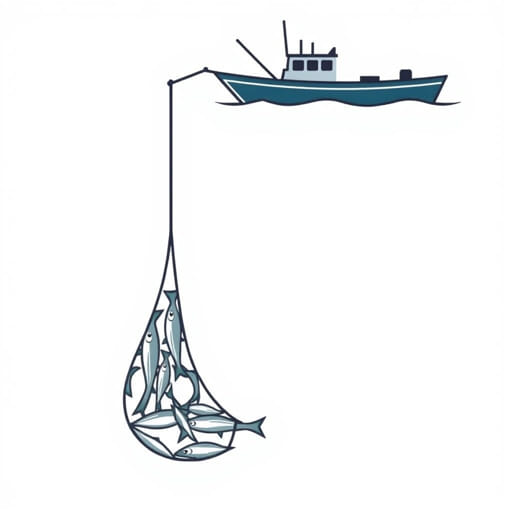
Managing your equipment is key to survival and progress inDredge, and the Trawl Net is one of the most useful tools for gathering passive income while navigating the eerie waters. Knowing how to empty the Trawl Net inDredgeefficiently ensures you never miss valuable fish and can keep your cargo organized. If you leave your net full, it stops collecting, which means lost time and resources. This guide will explain how to empty your Trawl Net properly, when to do it, and how it affects your gameplay strategy.
Understanding the Trawl Net in Dredge
The Trawl Net is a passive fishing device you can equip on your boat. Once deployed, it automatically catches fish as you sail, without needing manual intervention. This tool becomes particularly helpful when you’re exploring new areas or performing quests but still want to make money or gather food. However, its effectiveness depends on your ability to manage and empty it regularly.
How the Trawl Net Works
When equipped and deployed, the Trawl Net drags along behind your vessel, collecting fish that match its depth and type specifications. Not all fish can be caught this way; it depends on what kind of net you have equipped (shallow, coastal, abyssal, etc.). The net will automatically collect fish into its storage section, which is separate from your regular cargo hold but still has limited space.
How to Empty the Trawl Net
Step-by-Step Process
To empty your Trawl Net inDredge, follow these steps:
- Step 1: Open the Storage Menu
While sailing or docked, open your inventory by accessing the main cargo screen. This is usually done by pressing the appropriate button (e.g., ‘Tab’ on PC or a designated key on console). - Step 2: Locate the Trawl Net Section
The Trawl Net has its own distinct section in the storage interface, usually displayed at the bottom or side of your cargo grid. It shows the current catch and remaining durability. - Step 3: Drag Fish to Cargo
Click and drag each fish from the Trawl Net area into your main cargo space. Rotate the fish if needed to fit the layout. You can’t process or sell them until they’re moved out of the net. - Step 4: Make Room if Necessary
If your cargo is full, discard low-value items or arrange your inventory for maximum space. You won’t be able to empty the net unless there’s room in your hold. - Step 5: Resume Sailing
Once the Trawl Net is empty, it will start collecting fish again automatically. No need to redeploy unless you previously unequipped or repaired it.
Important Notes
You cannot directly sell fish from the Trawl Net. All items must be in your cargo first. Also, if you neglect the net, it stops working once full, so checking it periodically is crucial for efficiency. Some fish degrade over time while in the net, so moving them promptly also preserves their value.
Best Practices for Managing Your Trawl Net
1. Check Regularly
As you explore, make a habit of checking your Trawl Net every in-game hour or two. Even while you’re focused on quests or navigation, the net continues to gather fish. If you wait too long, it will fill up and stop collecting, wasting potential earnings.
2. Plan Cargo Layout
Trawl Net catches vary in size and shape. To accommodate them efficiently, keep a section of your cargo open and organized. Avoid hoarding unnecessary junk, and use storage upgrades when available to expand your capacity.
3. Prioritize Freshness
Fish caught in the net degrade like regular catches. Move them out and sell or store them as soon as possible. Some fish are required for quests or upgrades, so you don’t want them to spoil before use. Use fish markets quickly if you’re near a dock.
4. Repair When Needed
The Trawl Net has limited durability. Sailing through rough waters or prolonged use can wear it down. When damaged, it becomes less effective or stops working altogether. Visit the Shipwright at any port to repair it for a small fee. Always check its condition before heading into long trips.
5. Upgrade Your Net
Different Trawl Nets are optimized for specific types of waters and fish. As you progress, unlock better versions through the Research system. Switching between nets depending on your route can drastically increase the quality and quantity of your catches.
Common Issues and How to Solve Them
1. Net Is Full but Nothing Happens
If your Trawl Net appears full but you’re not seeing fish in your main inventory, it means the fish are still inside the net’s storage. You must manually transfer them into your cargo before you can use, sell, or process them. Also, double-check that you have available cargo space.
2. Can’t Empty Net While at Sea
Though you can manage your net while sailing, it’s safer and easier to empty it while docked. The menu system is more stable, and you won’t be interrupted by hazards or sea creatures. If you’re near a threat, wait until reaching safety to sort your inventory.
3. Trawl Net Isn’t Catching Anything
This can be due to:
- Wrong net type for the region you’re sailing in
- Net is damaged and needs repair
- The net is already full
Switch to an appropriate net and visit the Shipwright if repairs are needed. Keep your inventory clear to allow room for the net’s contents to transfer.
Strategic Uses of the Trawl Net
1. Passive Income
As you travel between islands or pursue objectives, the Trawl Net works in the background. This means you’re always collecting resources even when you’re not actively fishing, increasing your profit without wasting time.
2. Quest Assistance
Some quests inDredgerequire specific fish, and the Trawl Net can help you find them without manual searching. Keep an eye on what you collect and compare it to quest requirements. Sometimes rare species are easier to catch passively this way.
3. Risk Mitigation
Fishing manually exposes you to attacks or weather changes. The Trawl Net allows you to keep moving or hide in safe waters while still gathering fish. It’s an ideal tool for cautious players or during high-risk periods like nightfall or foggy conditions.
Learning how to empty the Trawl Net inDredgeis a fundamental part of managing your vessel and maximizing your efficiency. It’s a small but vital mechanic that supports passive fishing, quest progress, and profit. By regularly checking and emptying your Trawl Net, maintaining its condition, and planning your inventory space, you ensure a steady flow of valuable resources as you continue your mysterious maritime journey. Like every tool inDredge, the Trawl Net rewards attention to detail and strategic use. Stay organized, stay alert, and let the sea do some of the work for you.