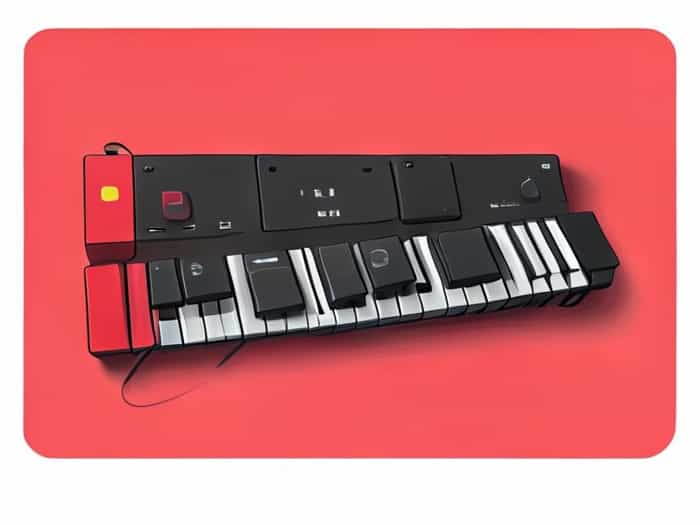
The Korg PA4X is widely regarded as one of the most versatile professional arranger keyboards on the market, offering a wide range of features for performers, composers, and music producers. Among its many functionalities, the assignable switches stand out as a key feature that allows musicians to customize their playing experience, streamline performance workflows, and access complex functions with ease. Understanding how to use the PA4X’s assignable switches effectively can transform live performances and studio work, making this feature a critical aspect for both beginners and experienced users seeking maximum control over their instrument.
Overview of Korg PA4X Assignable Switches
Assignable switches on the Korg PA4X are physical buttons that can be programmed to execute a variety of commands. These switches provide instant access to sounds, effects, sequences, and other functions without navigating through menus. They are designed to enhance live performance, enabling musicians to trigger changes on the fly while maintaining musical flow. Each switch can be assigned to a specific function, offering a high level of customization that aligns with individual performance styles and technical needs.
Types of Assignable Switches
- FootswitchesPositioned for hands-free operation, these are commonly used to control sustain, start and stop sequences, or switch styles during live performance.
- Panel ButtonsLocated directly on the keyboard’s interface, these buttons allow quick access to frequently used functions such as changing sounds, toggling effects, or adjusting parameters.
- Assignable PedalsExpression or volume pedals can also be assigned to control different parameters like modulation depth, effect levels, or tempo adjustments.
The flexibility of these switch types enables musicians to tailor the PA4X to their specific performance needs, combining foot and hand controls for seamless transitions and expressive play.
How to Assign Functions to Switches
Programming the assignable switches on the Korg PA4X involves a straightforward process. Users can navigate through the Assign Switch menu to select the desired function for each button or pedal. Common assignments include
- Switching between different sounds or registrations
- Controlling effects like reverb, chorus, or delay
- Starting and stopping sequencer tracks or backing tracks
- Changing musical styles or adjusting tempo during live performance
- Triggering arpeggios or chord sequences
Once assigned, the switches provide immediate access to the chosen function, allowing performers to focus on their music without interruption. This programmable feature is particularly valuable during live shows, where quick changes can significantly impact the overall performance quality.
Customizing for Live Performance
In live settings, the ability to assign multiple functions to switches allows for greater control and efficiency. For example, a performer can set one footswitch to toggle between different backing tracks while another controls sustain, freeing their hands to play complex passages. Panel buttons can be used to activate specific sound layers or effects during key moments of a song. This flexibility not only enhances the performer’s capability but also elevates the audience experience by enabling smoother transitions and more dynamic performances.
Practical Applications in Studio and Performance
The assignable switches on the PA4X are not limited to live performance; they are equally valuable in studio production. Musicians and producers can use the switches to quickly switch between sounds, record sequences, or manipulate effects while composing and arranging music. This hands-on control reduces the need for mouse clicks or menu navigation, creating a more intuitive workflow that encourages creativity and efficiency.
Examples of Common Assignments
- Sound ChangesAssigning switches to change piano, organ, or synth sounds instantly during recording sessions.
- Effect ActivationUsing a footswitch to engage delay, reverb, or modulation effects for specific sections of a song.
- Sequencer ControlStarting or stopping backing tracks or loops without leaving the keyboard interface.
- Tempo AdjustmentsQuickly modifying tempo or style changes in a live arrangement.
- Layering InstrumentsSwitching between layered sounds or turning on/off additional instrument layers for richer textures.
These examples illustrate the versatility of the assignable switches, demonstrating how they streamline performance and production tasks.
Tips for Maximizing Efficiency
To get the most out of the assignable switches on the Korg PA4X, performers should consider the following tips
- Plan Assignments in AdvanceDetermine which functions are most critical during performance or recording and assign them accordingly.
- Label Switch FunctionsKeep a reference chart or label switches to avoid confusion during live shows.
- Combine Foot and Hand ControlsUse a combination of footswitches, panel buttons, and pedals to optimize control over multiple parameters simultaneously.
- Practice SwitchingRehearse using the assigned switches to ensure seamless integration during live performance or studio sessions.
- Leverage Layers and ScenesUse the PA4X’s layering and registration features in combination with assignable switches to create complex arrangements easily accessible in real-time.
The Korg PA4X assignable switches are an essential feature for musicians who seek flexibility, efficiency, and creative control in both live and studio environments. By allowing customized assignments for footswitches, panel buttons, and pedals, the PA4X empowers performers to execute complex commands with ease, enhancing their musical expression and workflow. Understanding the functionality and practical applications of these switches is key to maximizing the potential of this professional arranger keyboard. Whether switching sounds, controlling effects, or managing sequencer functions, the assignable switches make the PA4X a highly versatile instrument capable of meeting the demands of modern music production and live performance.