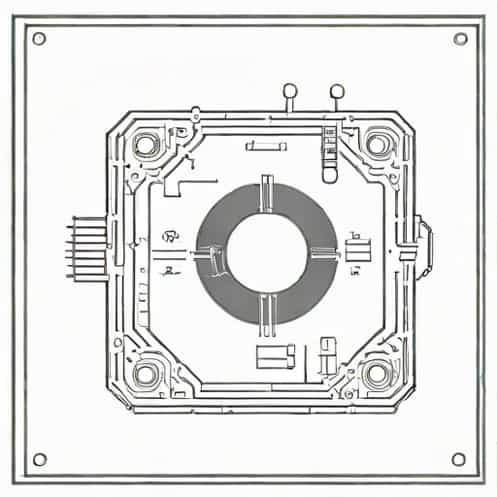
The PIR sensor library for Proteus has become an essential tool for electronics enthusiasts and engineers who want to simulate motion detection circuits before actual implementation. Passive Infrared (PIR) sensors detect infrared radiation emitted by moving objects, typically humans, and are widely used in security systems, automatic lighting, and robotics. Integrating these sensors into Proteus allows designers to test and validate their circuits in a virtual environment, saving both time and resources while ensuring accuracy in design.
Introduction to PIR Sensors
PIR sensors, or Passive Infrared Sensors, are electronic devices that measure infrared radiation emitted by objects in their field of view. Unlike active sensors, PIR sensors do not emit energy; instead, they detect changes in the surrounding infrared radiation. This property makes them ideal for energy-efficient motion detection applications. They are commonly used in home automation systems, security alarms, and occupancy sensing devices.
How PIR Sensors Work
The basic working principle of a PIR sensor involves detecting infrared light emitted by warm objects, such as human bodies. The sensor contains pyroelectric materials that generate electrical signals when exposed to changing levels of infrared radiation. These signals are then processed by an integrated circuit within the sensor, triggering an output that indicates motion detection. The sensitivity and range of the sensor can usually be adjusted to suit specific application requirements.
PIR Sensor Library for Proteus
Proteus is a popular electronic design automation (EDA) software that allows engineers to simulate microcontroller circuits and other electronic devices. Using a PIR sensor library in Proteus enables users to simulate the behavior of PIR sensors within their designs, testing circuits for motion detection, security systems, and smart home applications. The library contains models of commonly used PIR sensors, complete with pin configurations and functional characteristics.
Key Features of the PIR Sensor Library
- Realistic SimulationProvides accurate representation of PIR sensor behavior, including output signals upon motion detection.
- CompatibilityWorks with popular microcontrollers in Proteus, such as Arduino, PIC, and AVR platforms.
- Adjustable ParametersUsers can modify sensitivity, delay time, and detection range within the simulation to match real-world scenarios.
- Easy IntegrationThe library can be added to existing Proteus projects with minimal setup, allowing for quick testing and iteration.
- Support for Multiple Sensor ModelsIncludes various types of PIR sensors, making it versatile for different project requirements.
Benefits of Using the PIR Sensor Library
Integrating the PIR sensor library into Proteus provides several advantages for designers and hobbyists. First, it allows for thorough testing and debugging of motion detection circuits without the need for physical components, reducing costs and setup time. Second, designers can experiment with different sensor configurations and parameters to optimize performance. Third, simulation in Proteus can help identify potential design flaws early, improving the overall reliability of the final project.
Applications in Electronics Projects
The PIR sensor library is particularly useful in a wide range of electronics projects. Home automation systems can benefit from virtual testing of automatic lighting controls, while security system designers can simulate alarms triggered by intruders. Robotics projects that require motion detection for navigation or interaction can also leverage the library to test sensor integration with microcontrollers. The ability to simulate real-world scenarios within Proteus ensures that the final implementation is efficient and functional.
Installing and Using the PIR Sensor Library
To use the PIR sensor library in Proteus, users must first download the library files and add them to the Proteus component directory. After restarting the software, the PIR sensor models will be available in the component library. Users can then place the sensors into their circuit designs, connect them to microcontrollers or other devices, and configure parameters such as sensitivity and detection delay. Simulation can be run to observe the sensor’s output in response to virtual motion events.
Tips for Effective Simulation
- Adjust the sensor parameters to match the real-world PIR sensor specifications.
- Use virtual test objects to simulate motion across the sensor’s field of view.
- Integrate LEDs or buzzer components to visualize sensor output during simulation.
- Test multiple sensor placements to evaluate coverage and optimize positioning.
- Combine with microcontroller programming in Proteus to validate automated responses.
Challenges and Limitations
While the PIR sensor library provides valuable simulation capabilities, there are some limitations. Simulations may not fully replicate all environmental factors, such as temperature fluctuations or interference from other infrared sources. Additionally, virtual testing cannot completely replace real-world experimentation, as the physical behavior of sensors may vary slightly from their simulated models. Despite these limitations, the library remains a highly useful tool for early-stage design and conceptual testing.
The PIR sensor library for Proteus is a powerful resource for electronics enthusiasts, engineers, and students looking to simulate motion detection circuits. It offers realistic behavior, adjustable parameters, and easy integration into various projects. By using the library, designers can test and optimize circuits for security systems, home automation, and robotics without the need for physical components. While real-world testing remains important, the PIR sensor library significantly enhances the design process, saving time and resources while providing valuable insights into circuit performance.