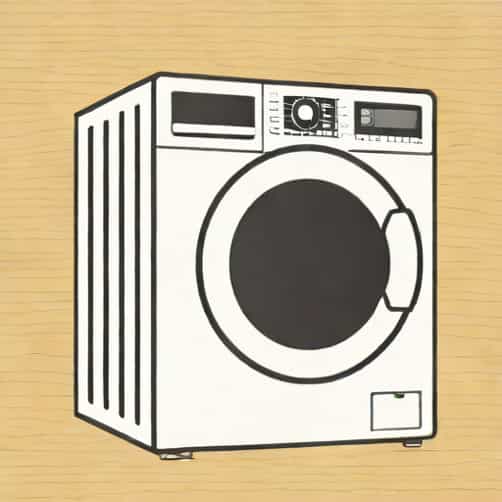
Owning a washing machine can make household chores much easier, but encountering an error code can be frustrating, especially when it interrupts your laundry routine. One common issue LG washing machine users face is the OE error. This error code indicates a problem with water drainage and requires immediate attention to prevent potential damage to the machine or clothing. Understanding the causes, troubleshooting steps, and preventive measures for the OE error can help users maintain their washing machine in optimal condition.
Understanding the OE Error on LG Washing Machines
The OE error, also known as Overflow Error or Drainage Error, appears on LG washing machines when the appliance detects that water is not draining properly. The washing machine relies on efficient drainage to complete washing cycles, so an obstruction or malfunction in the drainage system triggers this error code. The OE code does not indicate a critical failure of the washing machine itself, but it is a signal that immediate attention is needed to avoid further complications.
Common Causes of the OE Error
Several factors can contribute to the OE error on an LG washing machine. Identifying the root cause is crucial for effective troubleshooting
- Clogged Drain HoseLaundry debris, lint, or small clothing items can block the drain hose, preventing water from flowing out of the machine.
- Blocked Pump FilterMany LG washing machines feature a pump filter to catch foreign objects. When this filter becomes clogged with coins, buttons, or fabric, the machine cannot drain water properly.
- Kinked or Twisted HoseIf the drain hose is bent, twisted, or improperly positioned, water flow is restricted, resulting in the OE error.
- Pump MalfunctionA damaged or defective drain pump may fail to remove water efficiently, causing the machine to stop mid-cycle.
- Excessive Detergent UseUsing too much detergent can create excessive suds, which may obstruct the drainage system and trigger an OE error.
- High Water LevelIf the water inlet valve allows too much water into the drum, the machine may detect a drainage issue and display the OE code.
Troubleshooting the OE Error
When the OE error appears, users can follow a series of steps to diagnose and resolve the issue. Most solutions involve checking the drainage system and ensuring that water can flow freely.
Step 1 Inspect the Drain Hose
Begin by checking the drain hose for any kinks, bends, or obstructions. Ensure that the hose is properly positioned, typically no more than a few feet from the floor drain. If there is a clog, disconnect the hose and carefully remove any debris. Once cleared, reconnect the hose securely to the washing machine.
Step 2 Clean the Pump Filter
Next, locate the pump filter, usually accessible from the front bottom panel of the washing machine. Remove the filter cover and check for foreign objects such as coins, buttons, or lint. Clean the filter thoroughly and replace it, making sure it is securely seated. This step often resolves the OE error in many cases.
Step 3 Check the Drain Pump
If the error persists, inspect the drain pump for proper functioning. Listen for unusual sounds during the drainage cycle, such as grinding or humming, which may indicate a pump issue. In some cases, the pump may need to be repaired or replaced by a professional technician.
Step 4 Reduce Detergent Usage
Using excessive detergent can create large amounts of suds that interfere with water drainage. Ensure that you are using the recommended amount of detergent for your washing machine model and water hardness. Switching to high-efficiency (HE) detergent may also help prevent future OE errors.
Step 5 Restart the Machine
After addressing potential blockages and cleaning components, restart the washing machine. Run a short cycle without laundry to check if the OE error has been resolved. If the code persists, further inspection or professional service may be required.
Preventive Measures
Preventing the OE error is often easier than fixing it. Regular maintenance and mindful usage can reduce the likelihood of encountering drainage problems
- Regularly Clean the Pump FilterRemove and clean the pump filter at least once a month to prevent clogs.
- Inspect Drain HoseEnsure that the hose is free from kinks and positioned correctly to allow proper water flow.
- Use Appropriate DetergentAlways follow the manufacturer’s recommendations for detergent type and quantity.
- Avoid OverloadingOverloading the drum can strain the drainage system and cause water to remain in the machine.
- Routine MaintenancePeriodically check for loose connections, damaged hoses, or pump issues to catch problems early.
When to Call a Technician
While many OE errors can be resolved through basic troubleshooting, some situations require professional attention. If the drain pump is defective, the internal wiring is damaged, or the error persists after cleaning and inspection, contact a qualified LG service technician. Attempting complex repairs without proper knowledge may void warranties or cause additional damage.
The OE error on an LG washing machine signals a problem with water drainage that can interrupt your laundry routine. By understanding the common causes-such as clogged hoses, blocked pump filters, or pump malfunctions-users can take effective steps to resolve the issue. Regular maintenance, proper detergent use, and careful monitoring of the drainage system are key preventive measures. In cases where troubleshooting does not resolve the problem, professional service ensures that the washing machine returns to optimal function. Being informed about the OE error empowers LG washing machine owners to maintain their appliances efficiently and prolong their lifespan, keeping laundry tasks smooth and hassle-free.