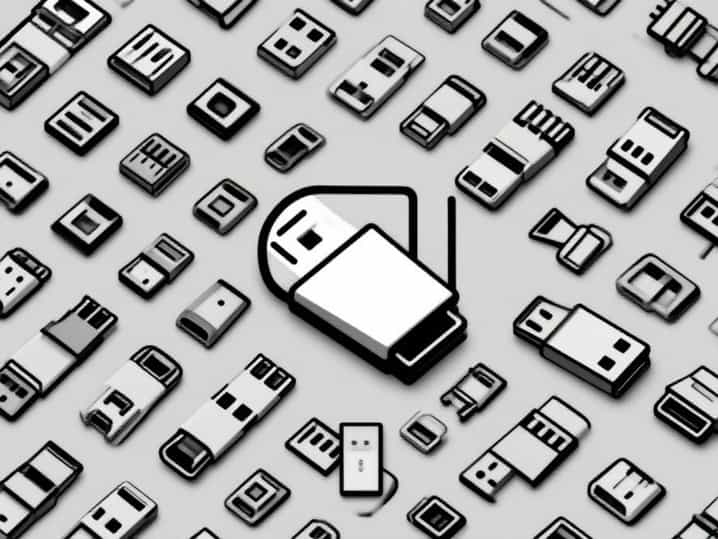
Everyday devices from smartphones and laptops to printers and external hard drives rely on USB connectors to function properly. These connectors serve as the bridge between devices, ensuring data transfer, charging, and communication happen smoothly. Over the years, USB connectors have evolved into many forms, each designed for specific use cases. Understanding the different types of USB connectors can help users avoid confusion, choose the right cable, and ensure compatibility across gadgets. Exploring USB connectors different types also highlights how technology has shifted toward faster and more versatile standards.
Introduction to USB Technology
Universal Serial Bus, commonly known as USB, was first introduced in the mid-1990s as a way to simplify connections between computers and peripheral devices. Before USB, various ports and connectors created confusion and limited interoperability. With the rise of USB, a standardized solution became available, making it easier to connect keyboards, mice, storage devices, and more. Today, the term USB connectors different types covers a wide spectrum of designs and capabilities, ranging from the classic rectangular ports to the reversible USB-C that dominates modern electronics.
Main Categories of USB Connectors
USB connectors can be broadly categorized into different groups based on their size, design, and purpose. Each generation brought improvements in speed and power delivery, while also introducing new shapes to meet the changing needs of devices.
- Standard USBThe original design used for computers and larger devices.
- Mini USBA smaller version often used in cameras and portable gadgets.
- Micro USBA widely adopted connector for smartphones and small electronics.
- USB-CThe latest design that is compact, reversible, and highly versatile.
USB Type-A
USB Type-A is the most recognizable and widely used connector. Its flat, rectangular shape has been present since the beginning of USB technology. Found on desktops, laptops, gaming consoles, and televisions, Type-A is often the port where other USB cables connect.
Features of USB Type-A
- Non-reversible design, meaning it only fits in one orientation.
- Available in versions like USB 1.1, USB 2.0, USB 3.0, and USB 3.1, each with different speed capabilities.
- Commonly used for keyboards, mice, flash drives, and external hard drives.
USB Type-B
USB Type-B connectors are less common in daily use but are still important in specific devices. They are square-shaped with slightly beveled edges on the top. Printers, scanners, and some external hard drives use this type of connector.
Features of USB Type-B
- Larger size compared to other connectors.
- Primarily used in peripheral devices that connect to computers.
- Has variants such as USB 2.0 Type-B and USB 3.0 Type-B, the latter featuring additional pins for faster transfer speeds.
Mini USB
Mini USB was introduced as a smaller alternative to Type-A and Type-B. It gained popularity in the early 2000s for portable devices such as digital cameras, MP3 players, and older smartphones.
Features of Mini USB
- Compact design suitable for smaller gadgets.
- Replaced in most modern devices by Micro USB and USB-C.
- Still found in some legacy electronics that have not transitioned to newer standards.
Micro USB
Micro USB became the standard connector for many years, especially for Android smartphones, tablets, and small electronics. It is thinner than Mini USB and allowed manufacturers to design slimmer devices.
Features of Micro USB
- Widespread adoption in mobile phones and power banks.
- Supports data transfer and charging functions.
- Eventually replaced by USB-C due to its one-way orientation and slower charging capabilities.
USB Type-C
USB Type-C is the latest evolution of USB connectors and has quickly become the new standard. Its small, oval shape is symmetrical, which means it can be plugged in either way, eliminating the frustration of trying to align the connector.
Features of USB Type-C
- Reversible design for easy connection.
- Supports fast charging and high-speed data transfer.
- Compatible with USB 3.1, USB 3.2, and even Thunderbolt 3 for advanced performance.
- Now used in smartphones, laptops, tablets, gaming consoles, and accessories.
Specialized USB Connectors
In addition to the common connectors, there are specialized versions designed for unique applications. These often appear in industrial, medical, or niche consumer electronics.
- USB On-The-Go (OTG)Allows devices like smartphones to act as a host for other devices, such as connecting a flash drive directly to a phone.
- Lightning Adapter CompatibilityWhile not a USB connector itself, adapters make Apple’s proprietary Lightning cable compatible with USB ports.
- USB Power DeliveryFound in Type-C connectors, enabling higher wattage charging for laptops and other power-hungry devices.
Differences Between Generations
Another key aspect of USB connectors different types is the performance of each generation. The physical connector might look similar, but the internal technology defines how fast data can move and how much power can be delivered.
USB 2.0
Introduced in 2000, USB 2.0 allowed speeds up to 480 Mbps. It was the most common standard for years, powering devices like flash drives and printers.
USB 3.0 and Beyond
USB 3.0 increased speeds up to 5 Gbps, while USB 3.1 and USB 3.2 pushed those limits further. These versions are often identified by blue-colored ports on computers.
USB4 and Thunderbolt
The latest standard, USB4, integrates Thunderbolt 3 technology, supporting speeds up to 40 Gbps. This is crucial for demanding tasks like video editing and gaming.
Choosing the Right USB Connector
With so many USB connectors different types, selecting the correct one depends on the device being used. Checking the port on the gadget is the simplest way to avoid mistakes. For modern electronics, USB-C is the most likely choice, while older devices may still require Micro USB or Mini USB.
Practical Tips
- Match the connector type to the device before purchasing cables or accessories.
- Opt for certified cables to avoid compatibility issues or safety concerns.
- When possible, upgrade to USB-C for future-proofing and faster performance.
Future of USB Connectors
The trend in USB technology is moving toward a single, universal standard. USB Type-C is positioned to eventually replace most other connector types. With its combination of versatility, speed, and charging capacity, it simplifies the tech landscape and reduces the need for multiple cables. As more devices adopt USB-C, the number of different types will decrease, creating a more streamlined experience for consumers.
Understanding USB connectors different types helps users navigate the ever-evolving world of technology with confidence. From the classic Type-A to the modern USB-C, each connector has played an important role in shaping how we connect devices. While older types like Mini USB and Micro USB are fading away, they remain relevant in certain gadgets. USB-C, with its universal design and advanced capabilities, represents the future of connectivity. By learning the distinctions among these types, consumers can make better purchasing decisions, ensure compatibility, and enjoy the full potential of their devices.